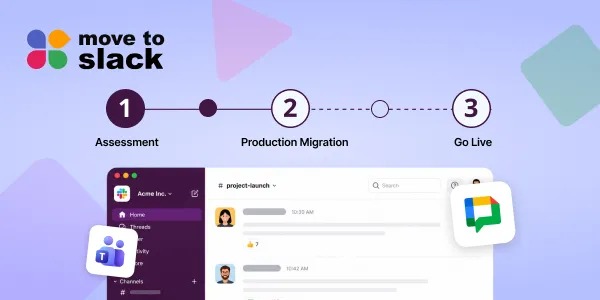
Migrating to Slack involves more than just connecting platforms; it requires a comprehensive plan to manage years of messages, files, and user data. A well-structured migration process helps businesses identify what to move and how to prepare for the transition. Move to Slack offers automated, phased, and delta migration options, along with a timeline generator that provides personalized migration estimates based on workspace details. The migration timeline includes stages such as planning, data mapping, migration monitoring, testing, user training, and the final go-live. Understanding the unique requirements of each organization is crucial for a successful migration.
Moving to Slack can look pretty simple from the outside. Connect your source platform, move the conversations, invite your team, and start working. But when years of messages, files, users, channels, threads, and permissions are involved, the actual migration needs a proper plan.
A well-planned Slack migration process helps businesses understand what needs to be moved, what needs to be checked, and how the team can prepare for the transition. Move to Slack supports automated, phased, and delta migrations, helping businesses choose an approach that fits their migration requirements.
Move to Slack is a migration tool that helps businesses migrate their collaboration data to Slack, and its Slack timeline generator makes the planning part easier. By entering a few details about your workspace, you can get a personalized migration timeline and understand what the move may look like before you get started.
In this blog, we will look at the Slack migration timeline, its different stages, and how the timeline generator can help you plan the move.
What Is a Slack Migration Timeline?
A Slack migration timeline is basically a roadmap for moving your existing collaboration environment to Slack. It covers the important stages of the migration, from planning and data mapping to transferring information, testing, training, and finally going live.
This is where the Slack timeline generator can be useful. Instead of sitting down and trying to calculate the timeline manually, you can enter details about your workspace, including your source platform, users, channels, and private channels. The generator then provides a personalized timeline based on the information you provide.
- Identify the source and destination platforms.
- Understand how much data needs to move.
- Review users, channels, and private channels.
- Decide what historical information should be migrated.
- Plan testing and validation.
- Choose between a single, phased, or delta migration.
- Get an initial Slack migration timeline for your project.
How Long Does a Slack Migration Take?
There is no single answer to how long a migration will take. A small team with limited conversation history can have a very different timeline from an enterprise organization with thousands of users, multiple departments, years of data, private channels, and large numbers of files.
Most workspaces with fewer than 50,000 messages can complete a migration in a few hours after a dry run. Larger environments naturally need more planning, testing, and coordination. This is why understanding your own environment is important before deciding how long the migration should take.
The Slack timeline generator gives businesses a practical starting point by using workspace information to create a personalized estimate. This makes it easier to plan resources, validation, training, and the final cutover without simply guessing how many days the project might need.
7 Phases of a Slack Migration Timeline
1. Migration Planning & Discovery
First things first, you need to understand what you are actually moving. This means looking at your source platform, users, channels, messages, files, permissions, integrations, and the amount of history you want to bring into Slack.
This is also a good time to use the Slack timeline generator. Rather than spending hours trying to create a rough estimate manually, you can enter your workspace details and get a starting timeline. From there, your team can build a more detailed migration plan.
- Confirm the source and destination environments.
- Decide how much historical data needs to move.
- Identify active and inactive users.
- Review important channels and conversations.
- Check integrations and access requirements.
- Get an initial timeline estimate.
2. Workspace & Data Mapping
Once the scope is clear, the next step is mapping existing users, channels, and data to their corresponding Slack destinations. This part is important because migration is not just about moving text. The relationship between people, conversations, files, and channels needs to stay intact.
Move to Slack automatically matches users and channels and allows teams to review the mappings before migration begins. Channel memberships, permissions, and historical date ranges can also be configured as part of the setup.
- Match source users with their Slack accounts.
- Map public and private channels.
- Review channel memberships.
- Decide which historical dates should be included.
- Exclude unnecessary content where required.
3. Data Preparation & Migration
Once the mapping is ready, the actual migration can begin. Depending on the source platform and migration requirements, this can include messages, threaded replies, files, users, channels, DMs, reactions, mentions, and timestamps.
Move to Slack runs migrations in the background, allowing teams to continue working on their source platform while the migration is taking place. The tool is designed to preserve conversation structure, user attribution, files, and original timestamps as part of the migration.
- Messages and replies keep their conversation structure.
- Files remain connected to relevant messages.
- Original timestamps can be preserved.
- Users are mapped to the right identities.
- Migration can run in the background.
4. Migration Monitoring
Nobody wants to start a migration and then sit there wondering, “Is it actually working?” Monitoring gives your team visibility into what has already moved, what is still being processed, and whether something needs attention.
Move to Slack provides migration tracking so teams can follow the progress while the migration is running. This becomes especially useful for larger environments or projects where the migration is completed in multiple stages.
- Track migration progress.
- Review migrated users, channels, and content.
- Identify potential gaps early.
- Monitor the migration while employees continue working.
- Resume migration from a checkpoint where supported.
5. Testing & Validation
Before everyone starts using Slack, you need to make sure everything landed where it was supposed to. This is where a dry run becomes useful. It gives your team a chance to find mapping issues, missing content, or configuration problems before the final migration.
You can check message content, threads, files, user mapping, channel memberships, and other important information. Think of this stage as the final “let’s make sure everything looks right” check before going live.
- Check important channels.
- Verify users and memberships.
- Review threaded conversations.
- Confirm files and attachments.
- Compare migrated information with the source.
- Fix mapping issues before the final migration.
6. User Training & Change Management
A migration can be technically successful and still leave employees confused. People need to know where their conversations are, which channels they should use, what the new workspace structure looks like, and when they are expected to start using Slack.
So, communication should happen before the final cutover, not on the morning of the switch. For larger organizations, moving teams in phases can also make the change easier to manage.
- Share the migration schedule early.
- Explain the new Slack workspace structure.
- Provide basic Slack training.
- Tell users when the cutover happens.
- Give employees a clear place to ask questions.
7. Go-Live
Go-live is the point where the organization officially starts working in Slack. By this stage, the important preparation should already be completed, so the focus is on making the transition as smooth as possible.
Move to Slack supports single, phased, and delta migration approaches. Delta migration can also capture new activity created after an earlier migration pass, which can be useful for projects where the source environment remains active during the transition.
- Complete the final migration pass.
- Confirm users can access Slack.
- Check critical channels and conversations.
- Monitor the first working period.
- Run a delta migration when required.
What Data Can You Migrate to Slack?
A Slack migration is not just about taking old messages and dropping them somewhere else. The context around those messages matters too. If a conversation loses its replies, files, timestamps, or sender information, the history becomes much harder to use later.
Move to Slack supports the migration of messages, threaded conversations, direct messages, channels, files, users, reactions, mentions, and timestamps from supported source platforms. The tool currently supports migrations from Microsoft Teams and Google Chat, with additional sources planned for the future.
| Data | What can move |
|---|---|
| Messages | Historical conversations and chat history |
| Threads | Replies preserved in their conversation structure |
| Files | Documents, images, videos, and attachments |
| Users | User identity and attribution mapping |
| Channels | Public and private channel structures |
| DMs | 1:1 and group direct messages |
| Reactions | Emoji reactions where supported |
| Mentions | User references within conversations |
| Timestamps | Original message timing |
| Permissions | Channel access and membership mapping |
So, when you migrate to Slack, the goal is not simply to bring over whatever data is easiest. The idea is to bring the useful context with it, so employees are not starting with a completely empty workspace on day one.
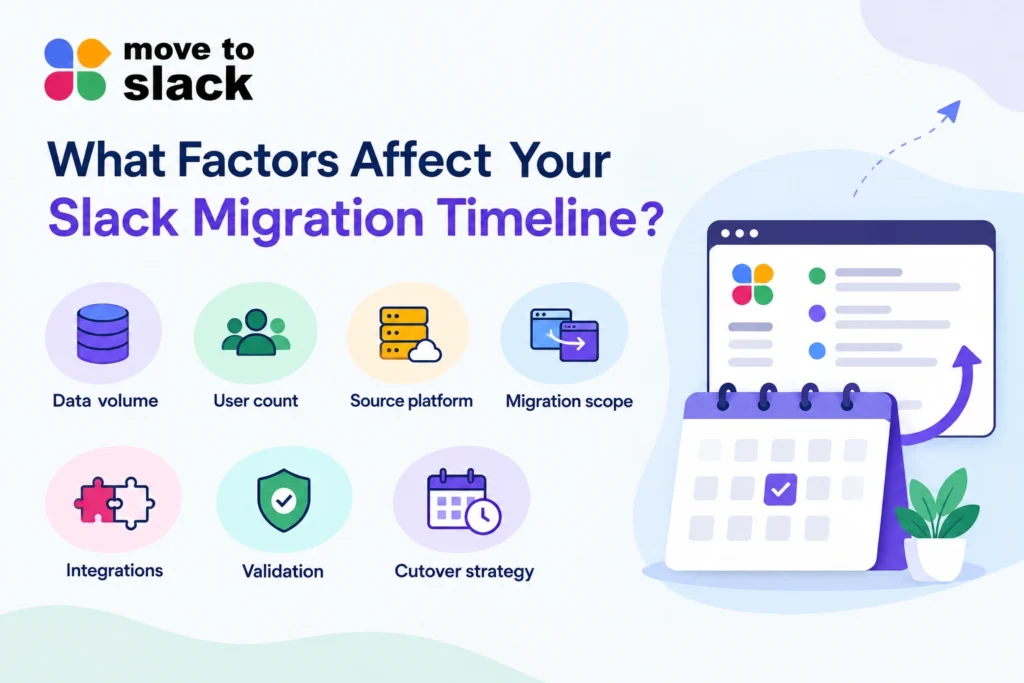
What Factors Affect Your Slack Migration Timeline?
Team size definitely matters, but it is not the only thing that matters. Two companies with 500 employees could have completely different migration requirements. One might have a few months of active conversations, while another might have years of files, DMs, private channels, and archived information.
This is why the Slack migration process needs to look at the whole environment rather than just employee count. Data volume, source platform, channel structure, permissions, integrations, and validation requirements can all change the amount of work involved.
- Data volume: More messages and files can mean more processing.
- User count: More people mean more identity and membership mapping.
- Channel structure: Public, private, and group conversations need different handling.
- Source platform: Teams and Google Chat organize information differently.
- Migration scope: Moving everything is different from moving selected history.
- Integrations: Connected tools should be checked before and after migration.
- Validation: More testing can add time, but it also helps catch issues earlier.
- Cutover strategy: Phased and delta migrations can change the overall project duration.
Slack Migration Timeline by Team Size
With Move to Slack, your migration timeline depends on your team size and migration requirements. Instead of estimating manually, you can get your complete migration timeline in seconds with the timeline generator. Simply fill in the required details and get a timeline based on your business size and migration needs.
| Team size | Typical planning approach | Timeline consideration |
|---|---|---|
| Small teams | Single migration with focused validation | Often suitable for a short migration window |
| Mid-size teams | Structured mapping + dry run + validation | May require several stages |
| Large teams | Phased migration + detailed testing | More planning and coordination required |
| Enterprise | Phased/delta strategy + dedicated validation | Can extend from days into weeks or longer depending on scope |
And this is the important part: the number of employees alone does not tell you how long the move will take. The amount of data, source platform, channel structure, and migration approach all matter too.
Slack Migration Checklist
Before you start the Slack migration process, it helps to have a simple checklist in front of you. Nothing fancy, just the things you really do not want to remember halfway through the migration.
- Confirm the source and destination platforms.
- Identify users and user groups.
- Review public and private channels.
- Check DMs and group conversations.
- Identify important files and attachments.
- Decide how much history should move.
- Review permissions and access requirements.
- Map users and channels.
- Review connected integrations.
- Run a dry-run migration.
- Validate messages, threads, files, and users.
- Train users before cutover.
- Choose a single, phased, or delta approach.
- Use the Slack timeline generator to get an initial estimate.
- Complete a final validation after go-live.
Common Slack Migration Challenges
Most migration problems are not caused by the basic act of moving data. They happen when important relationships get lost along the way. A message might arrive without its original timestamp, a file may lose its connection to the conversation, or a private channel may have the wrong membership.
This is why a structured Slack migration process matters. Move to Slack is designed around issues such as user mapping, timestamps, permissions, files, and threaded conversations rather than treating everything as one big data export.
- Broken threads: Replies lose their original context.
- Incorrect user mapping: Messages appear under the wrong identity.
- Lost timestamps: Historical conversations lose their original timeline.
- Missing files: Attachments become disconnected or unavailable.
- Permission gaps: Private content gets the wrong access.
- Downtime: Manual migration can interrupt normal work.
When you migrate to Slack, these are exactly the kinds of details worth checking before the final switch, rather than discovering them after everyone has already moved.
Manual vs. Automated Slack Migration
Manual migration might sound fine when there is not much data. But once you start talking about years of conversations, hundreds of channels, files, users, and permissions, copying everything manually becomes a completely different story.
An automated approach handles mapping, transfer, monitoring, and validation through a defined workflow. Move to Slack is built around automated user and channel mapping, background migration, progress tracking, and preservation of conversation structure.
| Manual migration | Automated migration |
|---|---|
| Repetitive data handling | Automated transfer workflows |
| More dependence on human effort | Rule-based processing |
| Harder to maintain structure | Threads and relationships can be preserved |
| Difficult to scale | Better suited to larger datasets |
| Limited visibility | Real-time migration tracking |
| Higher chance of inconsistent mapping | Automated user and channel mapping |
For businesses with a meaningful amount of historical data, automation simply makes the work easier to repeat, track, and validate.
How Move to Slack Helps With Your Migration
Move to Slack brings the different parts of the migration together instead of making your IT team manage multiple spreadsheets and manual tasks. Users, channels, messages, files, mapping, validation, and monitoring can all become part of one structured workflow.
The tool connects to your source platform, maps users and channels, runs the migration in the background, tracks progress, and helps validate the migrated data before the team switches over. It also follows a zero-retention approach, where migrated content is not retained on its servers after the migration job is completed.
- Automated user and channel mapping
- Messages and threaded replies
- Files and attachments
- Public and private channels
- Direct messages
- Original timestamps
- Real-time progress tracking
- Dry-run and validation
- Phased and delta migration
- Zero message-data retention after completion
And then there is the planning side. The Slack timeline generator helps businesses understand the expected migration timeline before the actual migration starts. You can enter your workspace details and get a personalized estimate, making it easier to plan resources, testing, training, and cutover.
So, instead of treating migration as one big technical task, Move to Slack helps you break it into manageable steps. You know what needs to move, what needs to be checked, and what your team needs to prepare before the switch.
Build Your Slack Migration Timeline With Move to Slack
Moving to Slack does not have to become a long, manual IT task. With Move to Slack, businesses can automate the migration process and move important collaboration data while reducing repetitive work and the chances of manual errors.
From users and channels to messages, files, threads, and other important data, the tool brings the migration into one structured workflow. Additionally, automated mapping, monitoring, validation, and migration options make the overall transition easier to manage.
So, if your business is planning to migrate to Slack, choosing an automated tool can make a real difference. Move to Slack gives your team a smarter way to handle the migration and move forward without turning the process into an unnecessary headache.
Frequently Asked Questions
A timeline generator can provide a practical estimate using workspace details and migration requirements. Move to Slack uses these inputs to create a personalized starting point for planning.
Enter details such as workspace size, source platform, users, channels, private channels, and migration scope. Move to Slack uses these details to generate a tailored timeline estimate.
Yes, the timeline can change when migration scope, data volume, workspace requirements, or validation needs change. Move to Slack helps teams reassess timelines using updated migration information.
Businesses can use a timeline generator to estimate project duration, coordinate resources, and schedule preparation activities. Move to Slack provides a personalized estimate before migration work begins.
Instead of manually calculating project duration, teams enter migration details and receive an initial estimate. Move to Slack turns those inputs into a practical timeline for migration planning.